XSS Attack Test
Open a terminal emulator and login to APP node
In APP node, hange working directory to
/home/ubuntu/arcadia$ cd /home/ubuntu/arcadia
and then deploy
vs-2.yamlfile$ kubectl apply -f vs-2.yaml
Open another terminal emulator and login to APP node then monitor the syslog output
$ ssh app

$ podname=`kubectl get pods | awk '/^syslog/{print $1}'`; kubectl exec -it $podname -- tail -f /var/log/messages
From Firefox browser, open http://app.arcadia.com/ page then click Login button

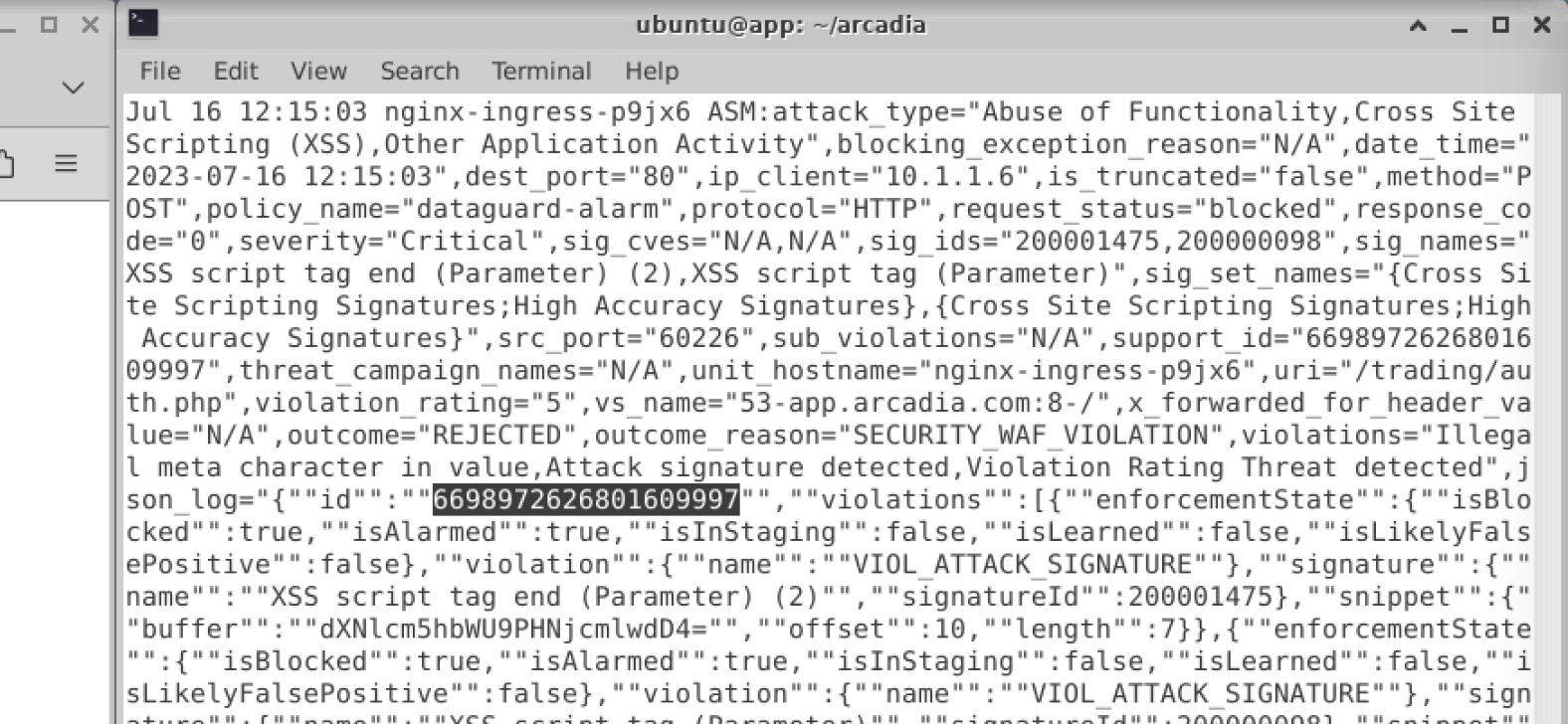
You can see the request logging start to scroll
Try to attack by type
<script>in Username input then click Log me in button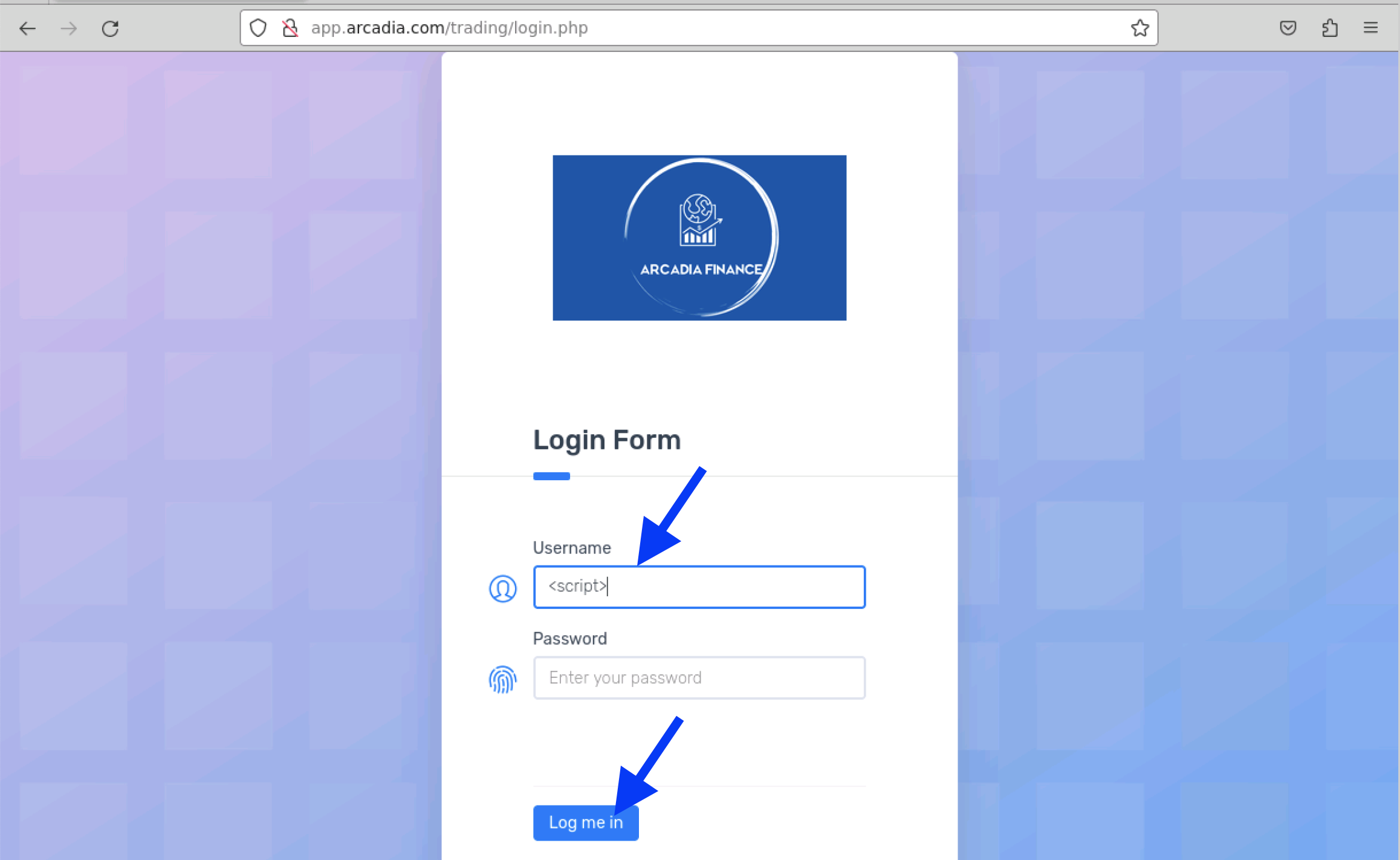
Rejected Request page displayed in the browser
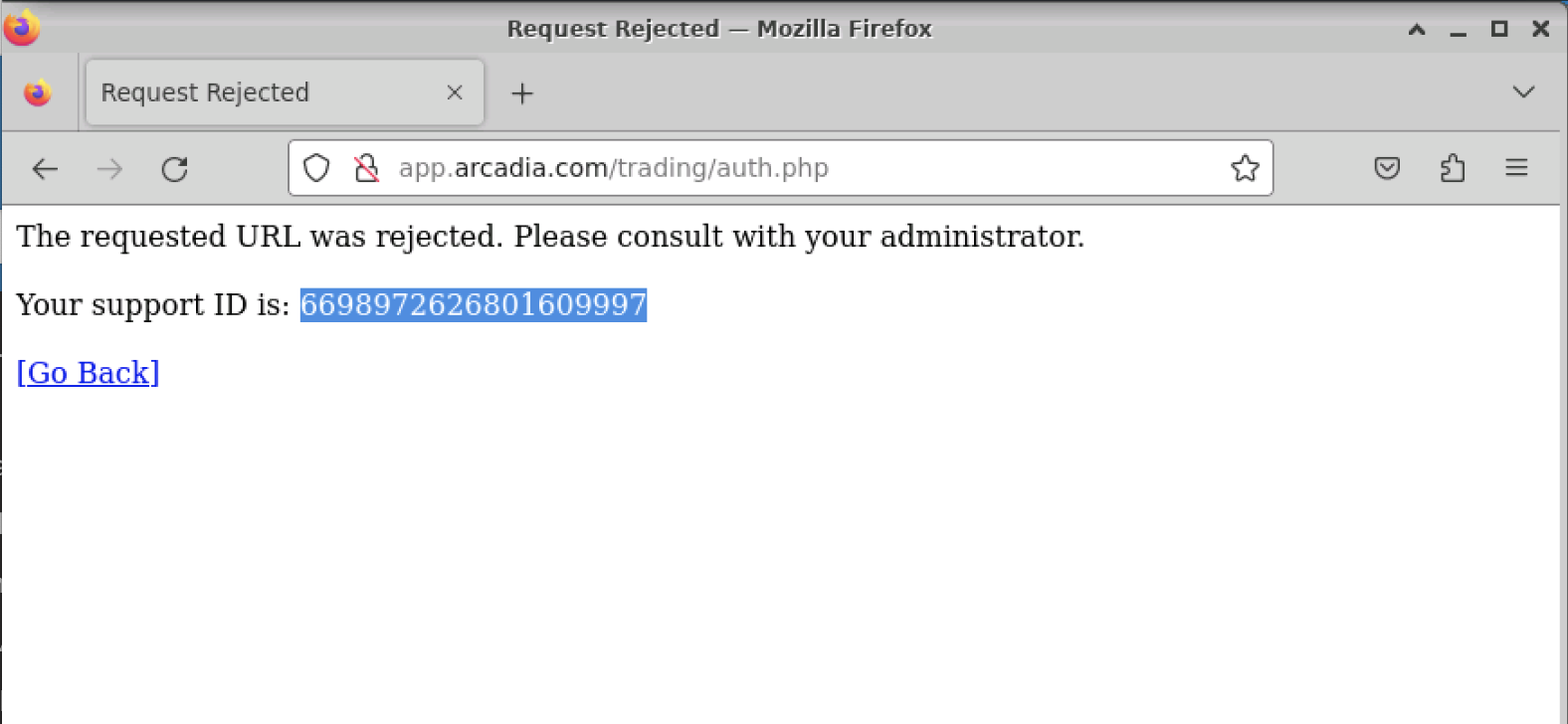
then see the log that match the support ID